Select Page

Legacy Modernization for Clinical Software

Dr. Ceph Case Study

See how Scopic rebuilt a 25-year-old clinical desktop application from Microsoft MFC to Qt 6, preserving byte-for-byte patient-file compatibility and leaving clinical calculations unchanged before modernizing the interface. 

The Results at a Glance

Modernization Impact

28x+ faster

600+ engineering hours estimated vs. 21 hours spent

Byte-for-byte

Patient-file read/write compatibility

52 dialogs

100% of controls converted, 0 ambiguities

1,296

Automated checks at the end of the UI phase
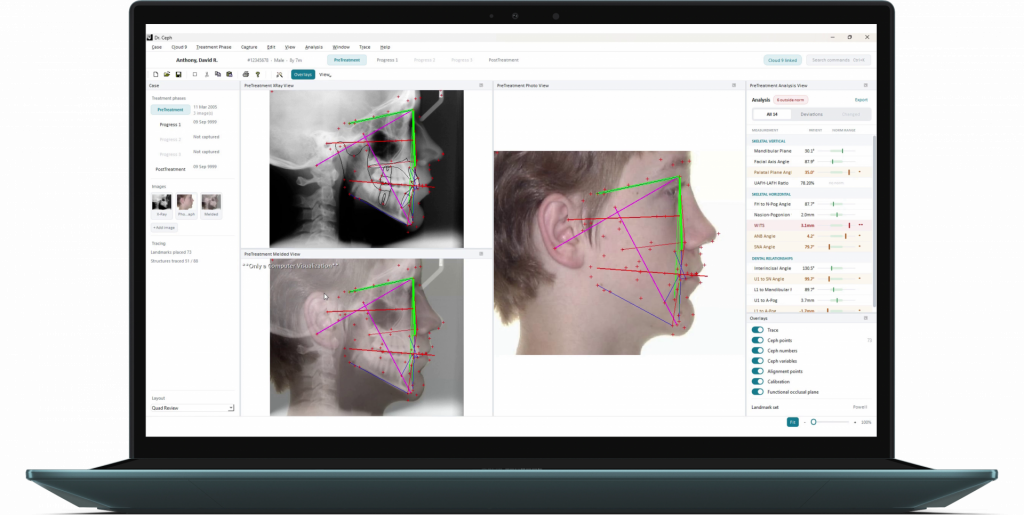
Modernized Dr. Ceph workspace with X-ray and facial tracing views, treatment phases, overlays, and analysis results.
The Context

Modernizing a 25-Year-Old Clinical Application

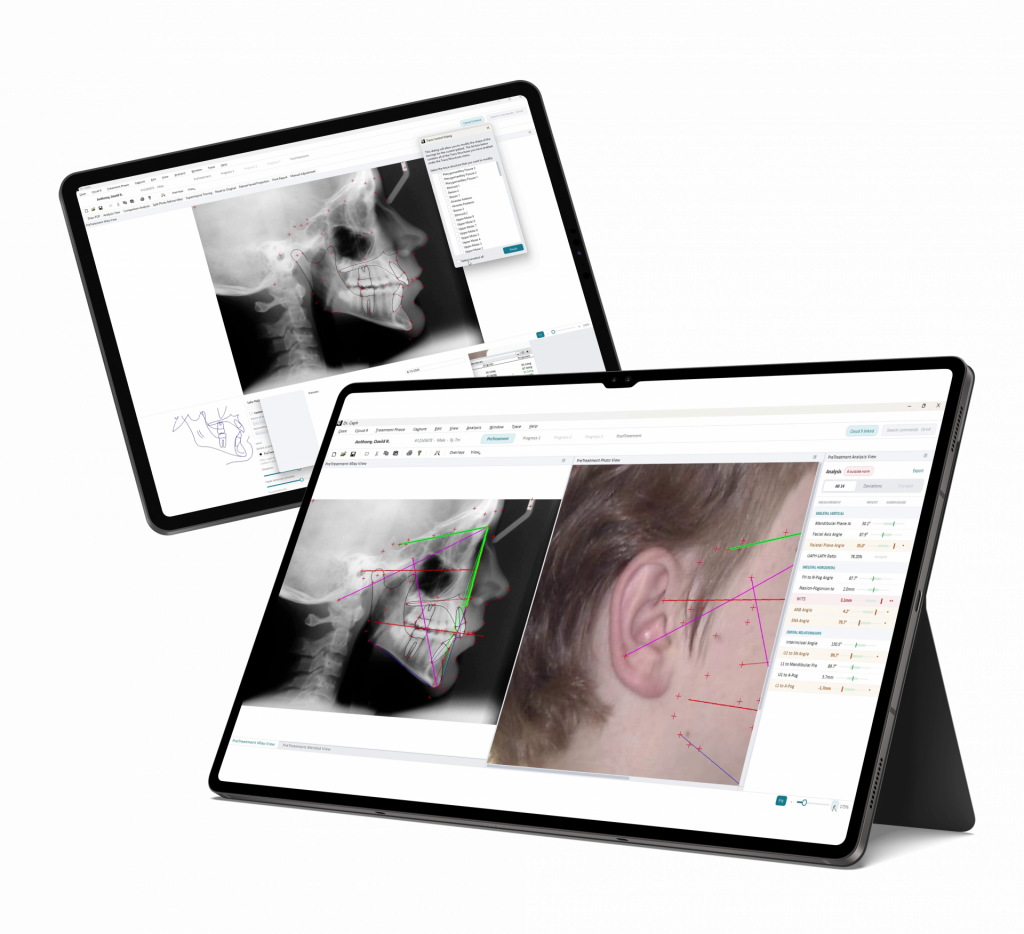
Dr. Ceph interface showing cephalometric X-ray tracing, facial analysis, and orthodontic measurements.

Dr. Ceph is a cephalometric analysis application used by orthodontists to measure skulls from X-rays, trace anatomy, and simulate the outcome of jaw surgery.  

Written around 2000 on Microsoft’s MFC framework, the application had become limited by a 32-bit architecture, a Visual Studio 2010 toolchain, and an aging UI framework. At the same time, it carried 25 years of patient records in a proprietary binary format that had to remain compatible with the modernized application. 

<p>Aging Technology Stack</p>

Aging Technology Stack

The application was 32-bit only, tied to Visual Studio 2010, and built on MFC, making it increasingly awkward to run on current Windows and harder to maintain as the MFC talent pool shrank. 

<p>Patient-File Compatibility</p>

Patient-File Compatibility

Twenty-five years of patient records were stored in a proprietary binary format. The modernized application had to continue reading and writing those files without breaking compatibility.

<p><span class="TextRun SCXW249015149 BCX0" lang="EN-US" xml:lang="EN-US" data-contrast="none"><span class="NormalTextRun SCXW249015149 BCX0" data-ccp-parastyle="heading 3">Clinical Logic Preservation</span></span><span class="EOP SCXW249015149 BCX0" data-ccp-props="{"134245418":true,"134245529":true,"335559738":160,"335559739":80}"> </span></p>

Clinical Logic Preservation 

Around 13,000 lines of medical and mathematical logic relied heavily on MFC data types, while the underlying clinical calculations had to remain unchanged. 

<p><span class="TextRun SCXW7197028 BCX0" lang="EN-US" xml:lang="EN-US" data-contrast="none"><span class="NormalTextRun SCXW7197028 BCX0" data-ccp-parastyle="heading 3">Windows-Specific</span></span></p>

Windows-Specific

The application also relied on Windows-specific integrations, including scanners, COM automation, dental-imaging software, and hardware-fingerprint licensing. 
Dr. Ceph needed a modernization approach that could move the application onto a modern 64-bit foundation while preserving its existing behavior and patient-file compatibility. 

The Solution

A Two-Phase Modernization Approach

Scopic rebuilt Dr. Ceph on Qt 6.8 LTS in two disciplined phases. The first reproduced the
application’s existing behavior and patient-file compatibility on a modern 64-bit
foundation, while the second modernized the interface without adding or changing clinical
calculations.

Here’s how it works: 

Preserve the Original Codebase

The original source folder was kept read-only while the modernized application was built alongside it, preserving the existing code as a line-for-line reference throughout the port.

Build an MFC Compatibility Layer

Scopic created mfccompat, a roughly 4,000-line compatibility layer implementing only the MFC building blocks Dr. Ceph actually used. This allowed around 13,000 lines of medical and mathematical logic to move across essentially unchanged while supporting the existing file format.

Rebuild the Interface in Qt

MFC UI classes, including windows, dialogs, views, and frames, were rewritten in Qt rather than emulated. A converter also transformed 52 Windows dialog templates into Qt dialogs with 100% of controls accounted for and zero ambiguities

Verify Compatibility and Completeness

Compatibility was tested against the production case cabinet, including existing tracing, landmark, phase, X-ray, and encrypted case files. Independent review, method-by-method
comparison, automated checks, and machine-checked work markers were also used to identify gaps.

Modernize the UI Without New Business Logic

Before building the redesigned interface, each proposed control was classified as BACKED, DERIVED, or UNBACKED based on whether existing functionality supported it. The resulting UI reorganized the workspace and presentation while keeping the application's clinical logic unchanged.

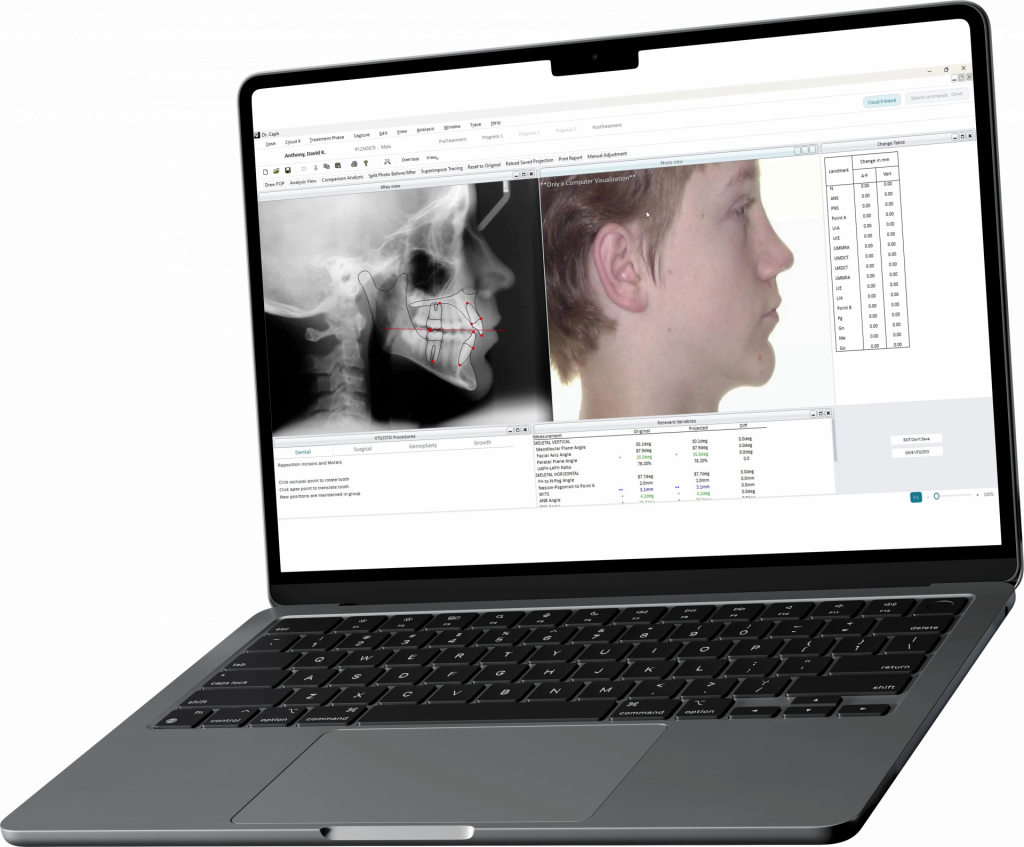
Legacy Dr. Ceph workspace with separate X-ray, facial photo, procedure, and measurement panels.

Technology Stack

Microsoft MFC

Legacy framework

Qt 6.8 LTS

Modern cross-platform UI toolkit  

Visual Studio 2022

2022 compiler/toolchain used by the port  

64-bit Windows  

Target platform  

Mfccompat  

Custom MFC compatibility layer  

Why It Worked

Legacy Modernization Success Factors

The modernization approach was built around three key factors:  

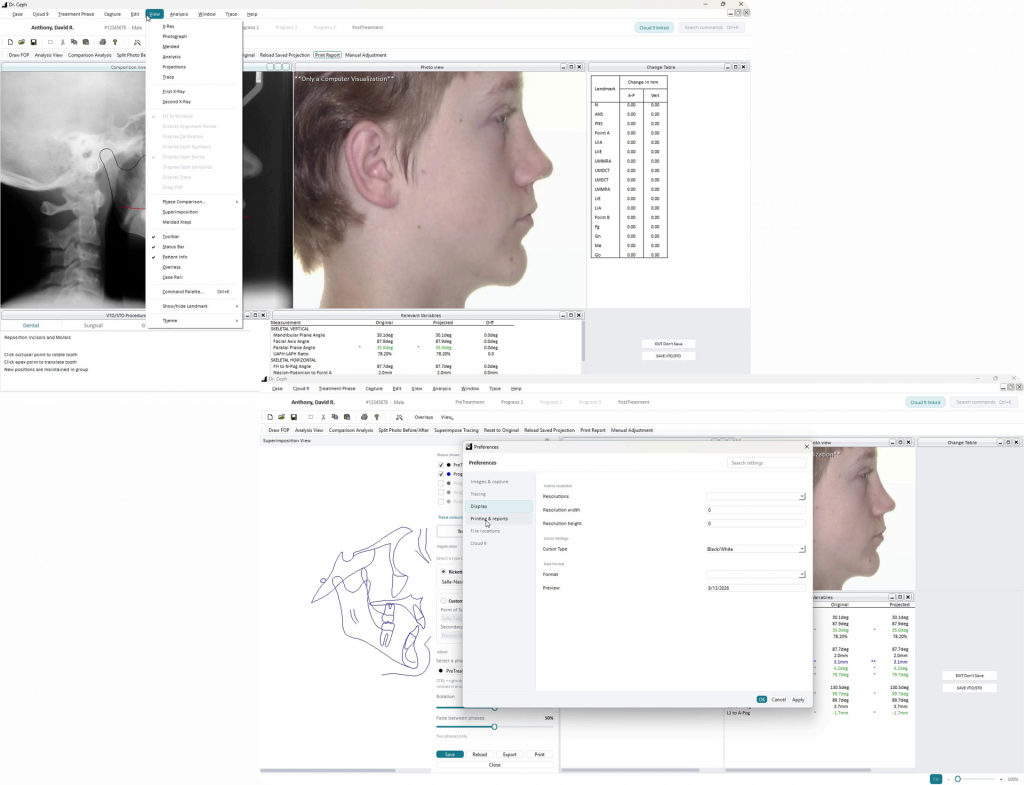
Modernized Dr. Ceph interface showing the View menu and searchable Preferences dialog.

The modernization approach was built around three key factors:

check.svg

Risk-First Sequencing 

File-format compatibility was work package 01 and drawing fidelity was work package 03, with both proven working within the first two days.

check.svg

Preserve, Don't Rewrite

The custom compatibility layer allowed around 13,000 lines of medical and mathematical logic to move across essentially unchanged.

check.svg

Verification Throughout the Port

The production case cabinet was used to verify compatibility, while automated checks, independent review, marker audits, and method-by-method comparison helped uncover missed work.

A Workflow Transformed

Before and After UI Modernization

Before

Four floating windows arranged by hand

Analysis shown as a monospace table with four numeric columns per row

Commands available through the menu bar only 

Eight display toggles buried in the View menu 

After

Docked workspace with a case rail, image quad, and analysis rail

Permanent analysis rail with norm-range bars and numbers moved to tooltips

Menu bar plus a Ctrl+K command palette using the same commands 

Dockable Overlays panel with visible switch states 

The redesigned interface reorganized how users work with Dr. Ceph while keeping the existing feature set and clinical calculations unchanged. 

Now It’s Your Turn:

Modernize Legacy Software Without Changing What Already Works

Dr. Ceph shows a path from an aging MFC stack to a modern Qt foundation while
preserving existing behavior and data compatibility.

Ready to discuss a legacy
modernization project with Scopic? Schedule a free consultation.